Mechanic Vector & Tools SVG: A Practical Design Guide
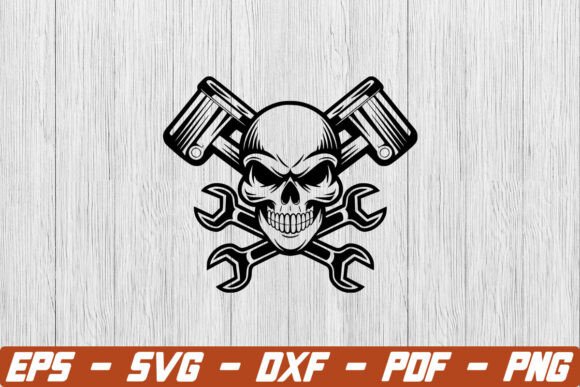
When designing for the automotive industry, trade schools, or blue-collar businesses, standard clip art often falls short. This is where a high-quality Mechanic Vector and Mechanic Tools SVG collection becomes essential. These are not merely digital drawings; they are scalable, editable graphic assets specifically engineered to represent wrenches, gears, engines, and automotive repair concepts with professional precision. Unlike raster images that pixelate when resized, vector graphics maintain crisp edges at any dimension, making them indispensable for everything from tiny website icons to massive garage signage.
The true value of these assets lies in their versatility and technical flexibility. A well-crafted Mechanic Tools SVG file allows you to manipulate individual elements within the design. You can separate a socket wrench from its background, change the color of a specific gear to match a brand palette, or combine multiple tools into a custom composite logo without losing quality. For creators and business owners, this level of control transforms a generic stock asset into a bespoke visual identity that communicates expertise and reliability.
Why Scalable Graphics Matter for Automotive Brands
In the mechanical and automotive sectors, clarity equals credibility. Blurry logos or jagged iconography can subconsciously signal a lack of attention to detail—a trait no customer wants to associate with vehicle repair. Using a dedicated Mechanic Vector ensures that your visual materials remain sharp across all mediums. When a local auto shop needs to print business cards, embroider technician uniforms, and wrap a service van, using the same source file guarantees brand consistency.
Beyond aesthetics, these files solve practical production problems. Screen printers and vinyl cutters require vector paths to create stencils and transfers. If you provide a JPEG to a sign maker, they may have to manually trace it, adding cost and potential error. Providing a clean Mechanic Tools SVG streamlines the manufacturing process, reduces turnaround time, and ensures the final physical product matches your digital proof exactly. This technical compatibility makes vectors the industry standard for tangible merchandise and large-format printing.
Creative Applications Across Industries
The utility of mechanic-themed vectors extends far beyond traditional auto repair shops. Understanding where and how to apply these assets can unlock new opportunities for various professionals:
- Educational Content Creators: Teachers and curriculum developers use detailed tool illustrations to create engaging worksheets, safety manuals, and vocational training presentations. Clear visuals help students identify equipment and understand mechanical systems faster than text alone.
- Digital Marketers & Bloggers: Automotive bloggers and affiliate marketers utilize stylized SVGs to break up dense technical articles. Custom featured images created from vector packs perform better in search results and social feeds than generic stock photos of people shaking hands.
- Merchandise Designers: Entrepreneurs selling on platforms like Etsy or Redbubble rely on unique Mechanic Vector compositions to create t-shirts, mugs, and stickers. The ability to layer and recolor tools allows for endless design variations from a single asset pack.
- App & Web Developers: User interfaces for fleet management software, booking apps, or diagnostic tools benefit from lightweight SVG icons. They load instantly and look sharp on high-density mobile screens, improving user experience and perceived app quality.
- Safety & Compliance Officers: Creating clear, universally understood signage for workshop hazards or PPE requirements often requires standardized tool imagery that vectors provide perfectly.
Selecting the Right Asset Pack for Your Needs
Not all Mechanic Tools SVG files are created equal. Before purchasing or downloading, it is crucial to evaluate the technical quality and licensing terms to avoid future headaches. Beginners often overlook file structure, assuming all vectors are equally editable. However, poorly constructed files may have overlapping paths, ungrouped elements, or excessive anchor points that make modification frustrating.
Look for packs that offer organized layers and logical grouping. If you intend to animate the graphics for a website or video, ensure the pivot points for rotating parts (like gears or ratchets) are logically placed. Additionally, verify the license scope. Some free resources restrict commercial use or require attribution, while premium packs typically include full commercial rights for client work and merchandise. Investing in a properly licensed, professionally drawn Mechanic Vector saves time and protects your business legally.
Practical Tips for Working with Tool Vectors
Getting the most out of these assets requires a blend of technical skill and design awareness. Here are practical observations for integrating mechanic graphics effectively:
- Prioritize Accuracy Over Style: In technical fields, depicting a tool incorrectly can undermine your message. Ensure the vector accurately represents the specific type of wrench, screwdriver, or gauge relevant to your content. Enthusiasts and professionals notice these details immediately.
- Mind the Stroke Weight: When scaling a Mechanic Tools SVG down for small applications like favicons or app buttons, thin lines may disappear. Choose designs with adjustable strokes or bold line weights that remain legible at reduced sizes.
- Color Psychology Matters: While vectors are fully customizable, consider industry color associations. Orange and black suggest energy and caution; blue conveys trust and technology; green implies eco-friendly or hybrid services. Adjust your vector colors strategically rather than defaulting to random hues.
- Test Before Finalizing: Always preview your vector at both maximum and minimum intended sizes before sending to print or publishing online. What looks perfect on a 27-inch monitor may be illegible on a mobile screen or muddy when embroidered on fabric.
Enhancing Projects with Professional Visual Assets
Integrating a Mechanic Vector or Mechanic Tools SVG into your workflow is about more than just filling empty space; it is about communicating competence efficiently. Whether you are building a portfolio, launching a product line, or educating the next generation of technicians, these scalable graphics provide a foundation of visual professionalism that raster images simply cannot match.
By understanding the technical advantages, respecting industry accuracy, and applying thoughtful design principles, you transform simple digital shapes into powerful communication tools. The right vector asset does not just decorate your project—it reinforces your message, builds trust with your audience, and ensures your work stands the test of time across every platform and medium. Start by assessing your specific needs, choose quality over quantity, and leverage the infinite scalability of vectors to elevate your next automotive or mechanical design project.