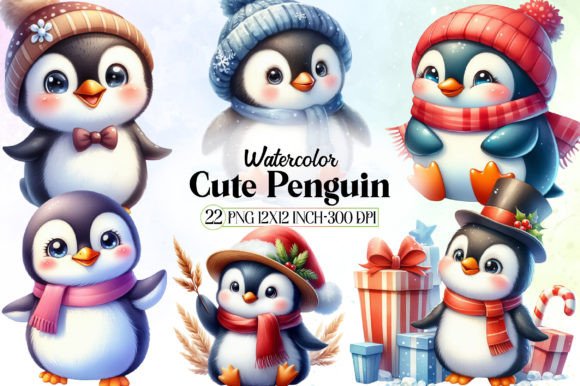
Cute Penguin Watercolor Clipart: A Practical Guide to Selecting and Using Digital Assets
There is an undeniable charm to cute penguin watercolor clipart that makes it a staple for winter-themed projects, children’s educational materials, and cozy stationery designs. The soft edges, translucent washes, and whimsical expressions inherent in this style evoke warmth and nostalgia that vector art often struggles to replicate. However, the popularity of these assets has led to a saturated market where quality varies drastically. For creators, educators, and small business owners, the challenge is rarely finding penguin illustrations; it is finding high-quality files that are legally safe, technically sound, and aesthetically consistent for professional use.
Many enthusiasts and professionals alike fall into predictable traps when sourcing these digital elements. Understanding the nuances of watercolor digitization and licensing can save you from frustrating rework, legal complications, or a final product that looks amateurish. By approaching your selection process with a critical eye, you ensure that the adorable aesthetic translates into a polished, functional design asset.
Evaluating Technical Quality Beyond the Thumbnail
The most frequent mistake occurs during the initial browsing phase. Marketplaces and stock sites display compressed thumbnails that can make even low-resolution scans appear crisp. Relying solely on these previews is a gamble that often results in pixelated or muddy prints. True watercolor texture relies on subtle grain and color variation that compression algorithms destroy.
Before purchasing or downloading free cute penguin watercolor clipart, always verify the technical specifications. For print projects like greeting cards, mugs, or classroom posters, you need a minimum resolution of 300 DPI at the intended print size. A file labeled as 3000 pixels wide might seem large, but if it was upscaled using basic interpolation rather than scanned at high resolution, the edges will look jagged and the colors flat. Look for sellers who provide zoomed-in detail shots or sample files. If the watercolor blooms look like digital noise or solid blocks of color rather than organic pigment dispersion, the file likely lacks the fidelity required for professional output.
The Transparency Trap
Another technical oversight involves assuming all clipart comes with a transparent background. Many budget-friendly packs are actually JPEGs with white backgrounds masquerading as clipart. While these are usable for simple documents, they become a significant workflow bottleneck for complex designs. Removing a white background from watercolor is notoriously difficult because the semi-transparent edges blend into the white canvas. Automated removal tools often leave harsh halos or erase delicate paint splatters that give the art its character.
To avoid hours of tedious masking in Photoshop or Procreate, prioritize PNG files with true alpha channel transparency. If you must use a JPEG set due to budget or availability, test your background removal workflow on a single image before committing to the entire pack. Ensure you have the right brushes and blending modes to reconstruct those soft edges naturally. Sometimes, paying slightly more for properly processed PNGs is far more cost-effective when you factor in the hourly rate of manual editing.
Navigating Licensing for Commercial and Educational Use
Licensing misunderstandings represent the most significant risk area for entrepreneurs and teachers. There is a pervasive misconception that "digital download" equals "free to use however I want." This is rarely the case. Cute penguin watercolor clipart is intellectual property, and usage rights vary wildly between personal, commercial, and extended commercial licenses.
A common error is using a standard personal license for products intended for sale. If you are creating printable planners, t-shirts, or stickers featuring these penguins, a personal license is insufficient. Conversely, some commercial licenses still prohibit using the artwork as a standalone element. For example, placing a single penguin on a sticker without adding significant original design elements (like text, borders, or other graphics) may violate terms that require the clipart to be part of a "new derivative work."
- Check for POD Restrictions: Many artists explicitly prohibit their work on Print-on-Demand platforms like Redbubble or Amazon Merch, even with a commercial license.
- Verify Attribution Requirements: Some free or low-cost packs require visible credit. Failing to include this can lead to DMCA takedowns.
- Distinguish Between Personal and Classroom Use: Teachers should verify if a license covers distribution to students. Sending a PDF worksheet home with 30 students is different from posting it on a public blog.
Always read the specific license file included in the download zip, not just the marketing bullet points on the sales page. When in doubt, message the creator directly. Most independent artists are happy to clarify usage terms, and having written confirmation provides peace of mind that generic FAQ pages cannot offer.
Achieving Stylistic Consistency in Design
Even with perfect resolution and clear licensing, a project can fail visually if the clipart lacks cohesion. Watercolor is a medium defined by specific artistic choices: paper texture, pigment saturation, brush type, and edge softness. Mixing clipart from different artists—or even different packs by the same artist—often results in a disjointed aesthetic where some penguins look vibrant and wet while others appear dry and sketchy.
This inconsistency distracts the viewer and undermines the professional quality of your work. When building a collection of cute penguin watercolor clipart, treat it like curating a gallery. Stick to a single artist or a curated bundle designed to work together. Pay attention to the underlying paper texture; some artists scan cold-press paper with heavy tooth, while others use smooth hot-press. Overlaying a rough-textured penguin onto a smooth background element creates visual friction.
If you must combine sources, use adjustment layers to unify the color grading and contrast. Applying a subtle global paper texture overlay across your entire composition can also help marry disparate elements together. However, prevention is better than correction. Investing in comprehensive bundles from one reliable source usually yields better design outcomes than piecing together individual finds from multiple shops.
Smart File Management and Organization
The utility of your clipart library depends entirely on how well it is organized. A common frustration among designers is remembering where a specific penguin illustration came from months after purchase. Without proper metadata, renewing a license or crediting an artist becomes a detective mission.
Establish a naming convention immediately upon download. Instead of keeping generic filenames like img_4920.png, rename files to include descriptive tags and source information. A format like Penguin_Scarf_Winter_Blue_ArtistName_LicenseType.png makes searching effortless. Maintain a simple spreadsheet or note linking each folder to its original purchase receipt and license terms. This administrative step takes minutes initially but prevents significant stress later, especially if you scale your business or face an audit.
Color Space Awareness
Finally, consider the color space of your assets. Most digital clipart is created in RGB for screen viewing. If your primary output is print, be aware that vibrant neon blues and greens common in digital watercolor may not reproduce accurately in CMYK. Before starting a large print run, convert a sample file to CMYK and check for color shifts. Softening overly saturated colors in the digital stage can prevent disappointing, muddy results on paper. Understanding this technical limitation ensures your cute penguin watercolor clipart looks just as charming in physical form as it does on your monitor.
Selecting and using digital art assets is a skill that improves with intentionality. By prioritizing technical verification, respecting licensing boundaries, maintaining stylistic harmony, and organizing your resources, you transform simple illustrations into powerful, professional design components. The goal is to let the creativity flow without being interrupted by preventable technical or legal hurdles.